 Recover for Android · formerly NothingLost
They deleted it.
You can still read it.
Recover keeps a private copy of the messages that reach your phone, so a deleted or edited message is never really gone.
 Get it on Google Play
- Free to start
- No account
- Stays on your phone
See it happen
Watch what happens
when they delete it.
A real moment, played out on two phones. The steps light up as it happens.
- 1Rahim sends you a message.
- 2Your phone is asleep. The notification arrives.
- 3Rahim deletes it for everyone.
- 4You open the chat: "This message was deleted".
- 5Recover kept a copy. Tap to read it.
Illustration with made-up names. Free reads 3 deleted messages a week; Pro reads them all.
Sound familiar?
Some messages are gone
before you read them.
Made-up examples. Tap or hover a card to see what was sent.
How it works
Set it up once.
It does the rest.
Allow notification access
The app asks on its first screen. That's how it sees messages as they arrive.
It keeps a quiet copy
Each message that shows up as a notification is saved, on your phone only.
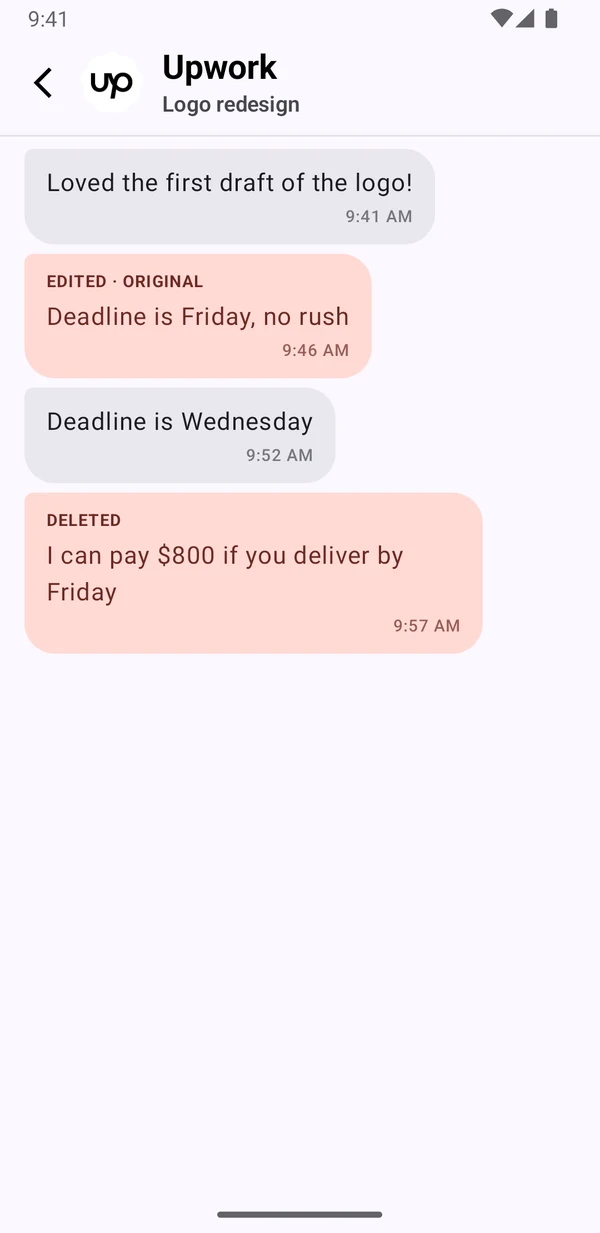
Someone deletes, you still see it
You get an alert, and the original is one tap away. Edits too: you see what they first wrote.
Inside the app
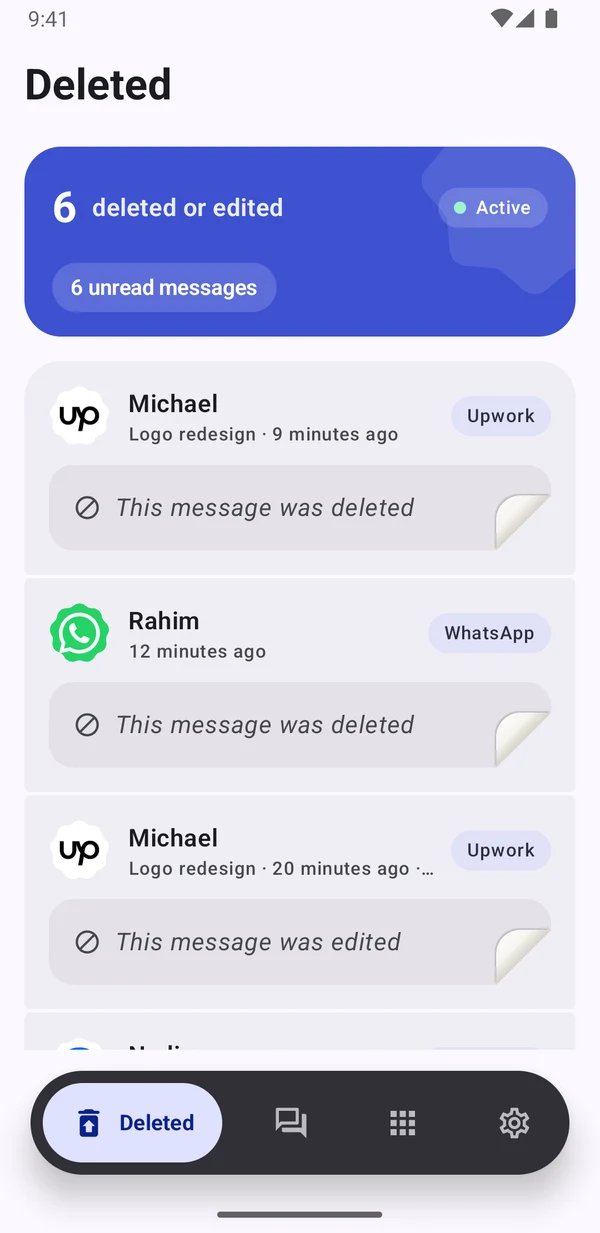
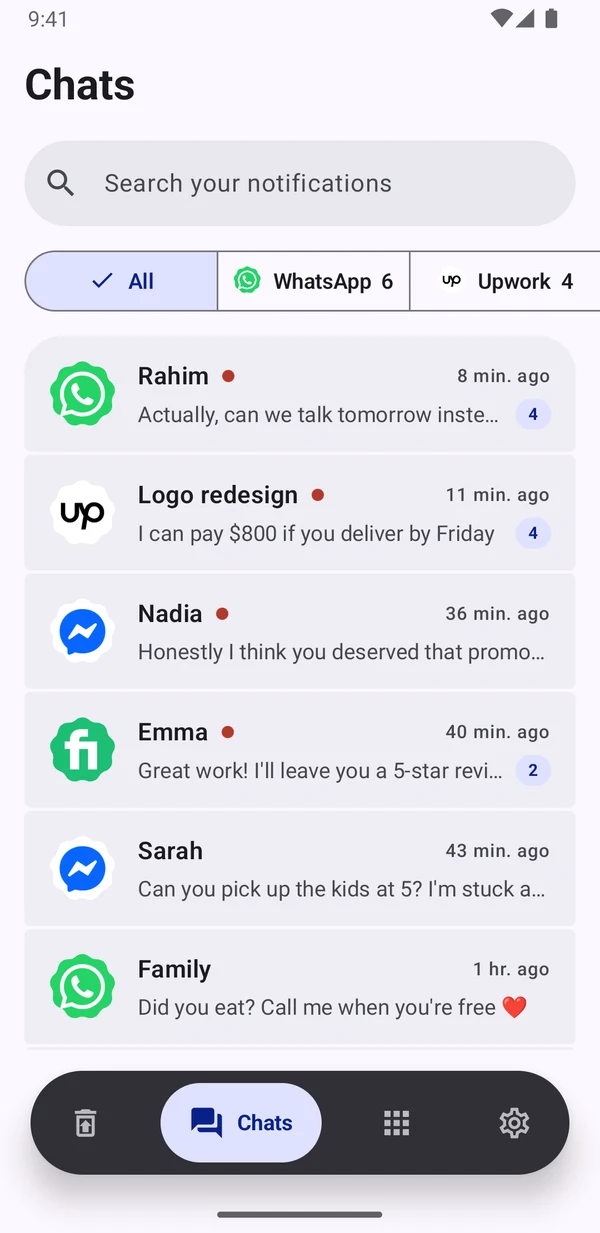
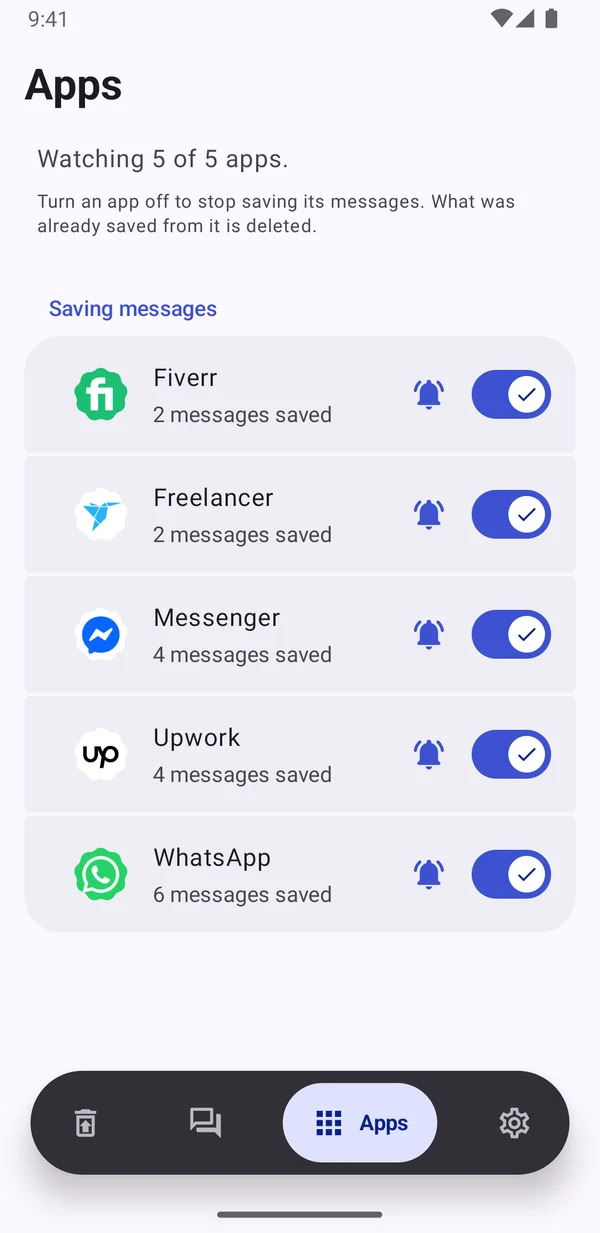
Everything you were sent,
kept for you.
Privacy
Your messages never
leave your phone.
An app that reads your messages has to earn your trust. Recover has no servers for your messages and no way to see them.
Anonymous usage stats and crash reports only, and you can turn them off. Turn any app off, or delete everything, with one tap. Read the privacy policy
Pricing
Free to start.
Pro for less than a coffee.
Free
$0
- Every message from the last 7 days
- An alert when someone deletes or edits a message
- Read 3 deleted messages a week
- Choose which apps to save, search and filters
Pro
$0.99 a month
- Read every deleted and edited message
- Your full history, kept for good
- Choose which apps alert you
- The deleted text right inside the alert
- Export everything to CSV
Cancel anytime in Google Play. Prices may differ in your country.
Which apps does it work with?
Any app that shows the message text in its notifications: chat apps, social apps and SMS. You choose which apps to save, for free.
Can it recover messages deleted before I installed it?
No. Recover can only save messages that arrive as a notification after you install it.
Why was a deleted message not saved?
Recover saves what the notification shows. If a chat is muted, or was open on your screen when the message came in, the chat app may not show a notification, so there is nothing to save. Photos, voice notes and videos aren't saved, only text.
Will the other person know?
No. Recover only reads notifications on your own phone. Reading a message in Recover doesn't mark it as read in the chat.
Does it drain my battery?
No. It saves a few lines of text when a notification arrives and does nothing in between.
How do I cancel Pro?
In the Play Store: tap your profile, then Payments & subscriptions, then Subscriptions, and cancel Recover Pro. You keep Pro until the end of the month you paid for.